
Windows Update from Power Shell or Command Line
Created: 2020-03-01 19:28:58 | Last modified: 2020-04-13 07:00:33Access: Read | Views: 118 | Rating: N/A | Tags: windows update windows
Here is how to use windows update from PowerShell or the command line
Using Power Shell
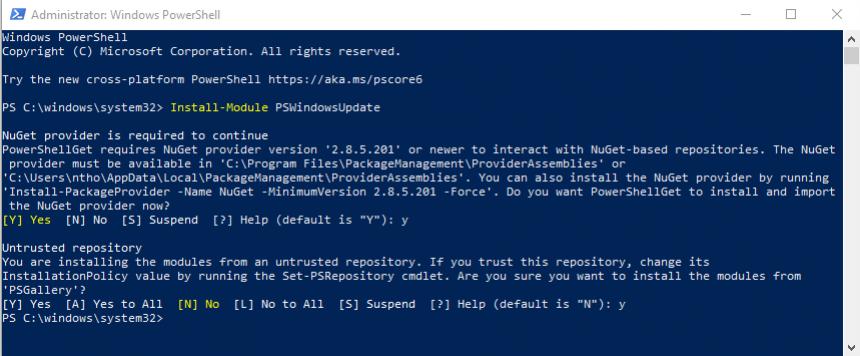
You can use powershell to check for updates by using a third party module. You can install the module by running a number of power shell commands. Note: Run power shell as administrator to run these commands
Install-Module PSWindowsUpdate
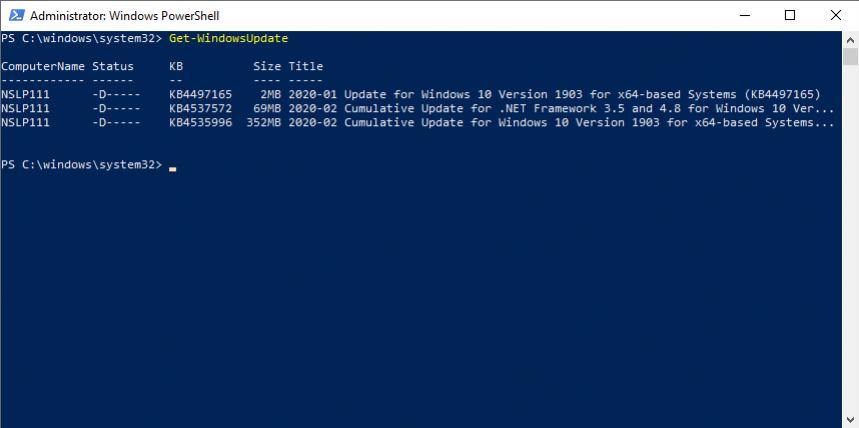
Run the Windows update to see what updates are available
Get-WindowsUpdate
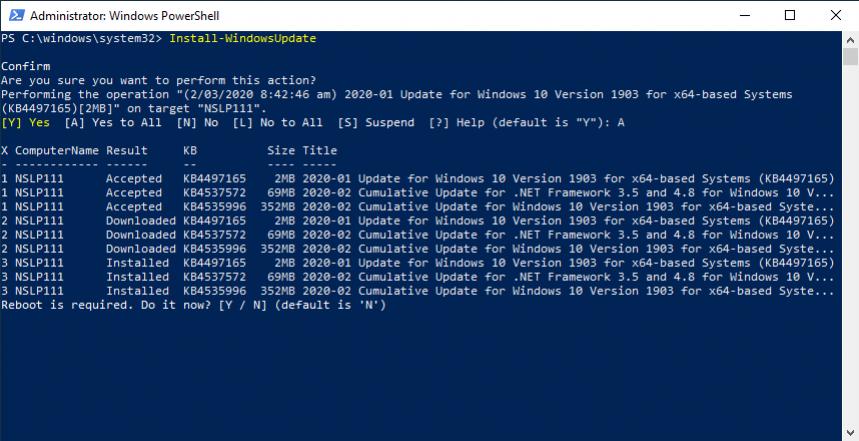
Now you can install the updates using the following command
Install-WindowsUpdate
Troubleshooting
You might get the following message, this is because execution on third party scripts is restricted.
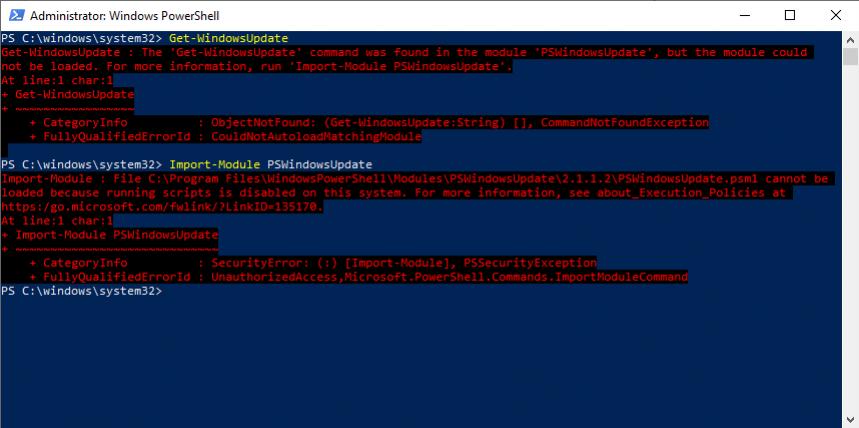
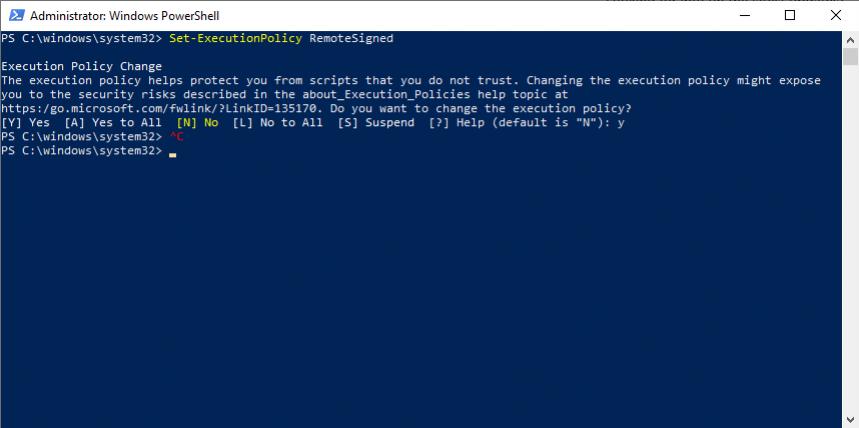
To fix this you need to set the execution policy as per below
Set-ExecutionPolicy RemoteSigned
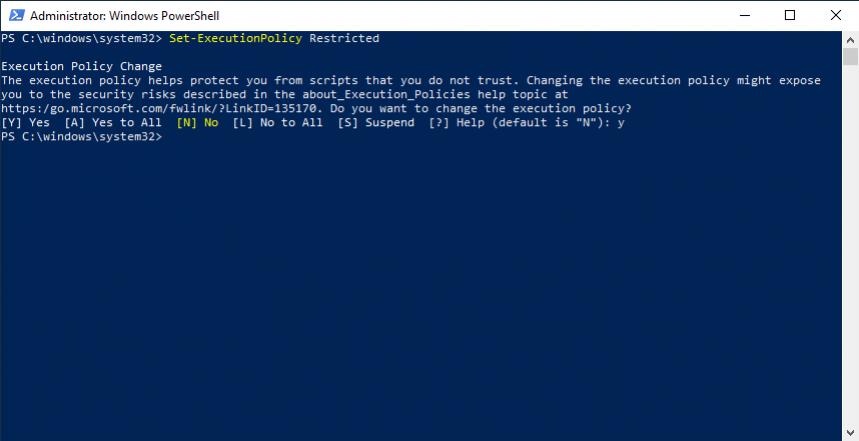
To disable this again you can run the following
Set-ExecutionPolicy Restricted
To uninstall the module, you can run the following
Uninstall-Module PSWindowsUpdate