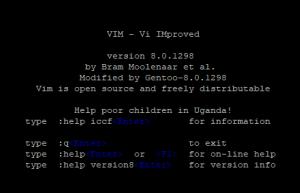
Here are some useful instructions with how to use VIM in Linux
To open a file
vim /path/to/file
Open vim on a specific line where 1234 is the line number
vim +1234 /path/to/file
Once you have a document open, for example you can edit it by hitting the i key (to insert lines)
Once you are in the editor, you can run control commands by hitting the ESC key and then a colon (:). So for example to quit out of vim you would do the following
ESC then : then q

Another example would be to write and then quit in a single line. You would hit ESC then : then qw

Commands
Basic commands
These are done without hitting the colon key, once you are done using this command, hit the ESC key to go back into view mode
| Command |
Notes |
| i |
Insert - Insert as if it is an editor |
| dd |
Delete line |
| :1,$d |
Delete all lines in buffer |
Search Command
To search for text, hit ESC and then the forward slash key (/). Enter in the text and then hit enter. The editor will go to the line where the text is located and highlight it.
Control Commands
To select an option, hit ESC and then the colon key(:)
Sometimes there are two options, long and short inside vim, they are listed underneath each other.
| Command |
Notes |
| :q |
Quit out of VIM |
| :q! |
Quit without saving the document |
| :w |
Write the file to disk from VIM |
| :wq |
Write the file and then quit out of vim |
| :1234 |
Enter in a digit will go to this line number |
| Advanced Commands |
|
:set nu
:set numbers |
Enable line numbers |
:set nu!
:set nonumber |
Disable line numbers |
:set ic
:set ignorecase |
Ignores a case when preforming a search within VIM. By default, searches are case sensitive |
:set ic!
:set noignorecase |
Enables case sensitivity when performing searches |