
When making changes on the ISP end e.g. a static IP address change, usually the router needs to be restarted for the changes of the PPPoE interface to take effect.
A simpler way of doing this, and also reduces downtime is to create a script to restart the interface.
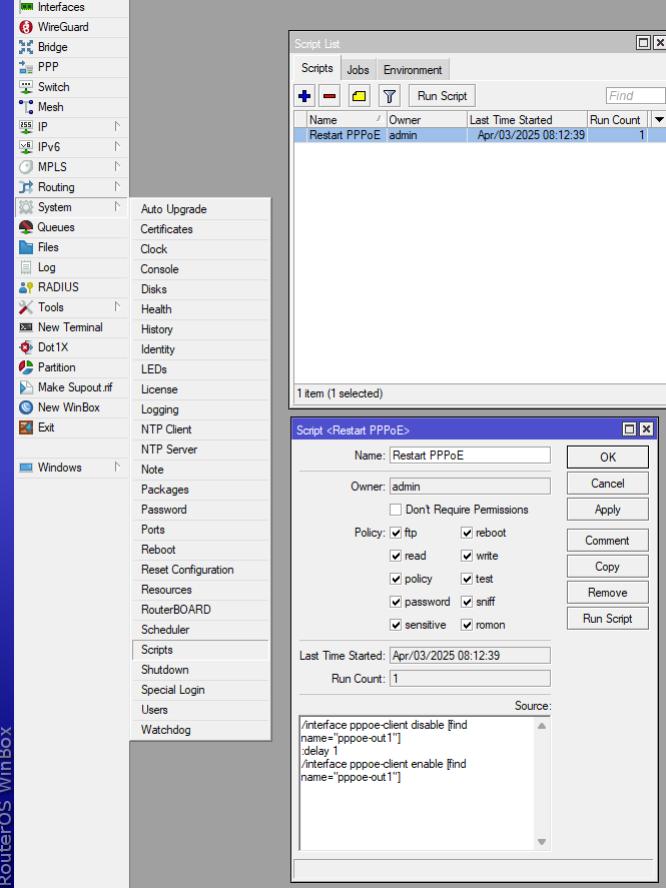
- Open Winbox and go to System -> Scripts
- Click the + button
- Enter in a name
- Add the script below, modify so the interface name matches
- Click OK
- Click the Run Script button
/interface pppoe-client disable [find name="pppoe-out1"]
:delay 1
/interface pppoe-client enable [find name="pppoe-out1"]
- Replace pppoe-client with the interface type
- Replace pppoe-out1 with the interface name