

Office 365 - Outlook Credential Issues
Created: 2022-10-25 20:31:50 | Last modified: 2022-10-26 21:27:44Access: Read | Views: 60 | Rating: N/A | Tags:
When multiple users seem to be having issues with Outlook failing to connect to Office 365. When this happens, Outlook shows as disconnected and prompts for the user’s password with just the basic Windows Credential prompt instead of the Microsoft prompt.
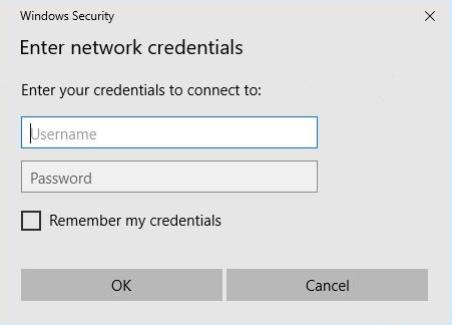 When multiple users seem to be having issues with Outlook failing to connect to Office 365. When this happens, Outlook shows as disconnected and prompts for the user’s password with just the basic Windows Credential prompt instead of the Microsoft prompt. The fix seems to be as below:
- Fully close Outlook and ensure no longer running in Task Manager
- Remove all Office 365/Outlook credentials from Credential Manager and test Outlook again
- If still not working, check if EnableADAL is set to 0 in Registry Editor. If so, change this to 1 and test Outlook again – we want ADAL enabled in order to support Modern Authentication. Do this by opening registry editor and editing HKEY_CURRENT_USER\Software\Microsoft\Office\16.0\Common\Identity\EnableADAL
- If still failing to connect, test making a new mail profile
- If again failing to connect, you may need to run a repair or uninstall/reinstall on Office