

Here is how to enter single mode in Linux using Grub. You might need to use this mode to resize a volume not mounted, fix and issue with the server starting etc.
Step 1 - When the Grub menu appears, either hold down shift of hit the up or down keys so it stops the countdown timer
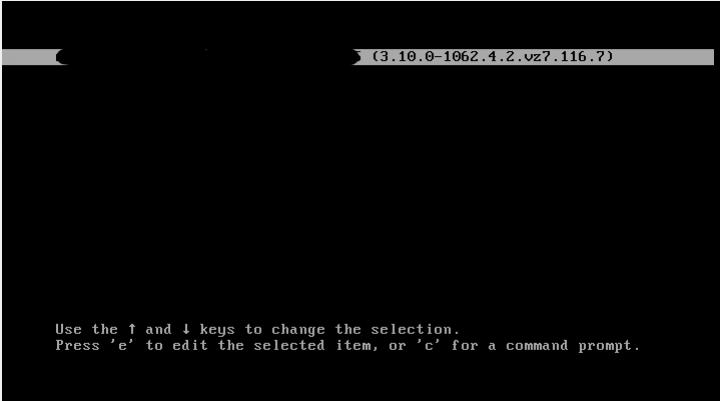
Step 2 - Enter in 'e' to edit, you should get something similar to the following screenshot
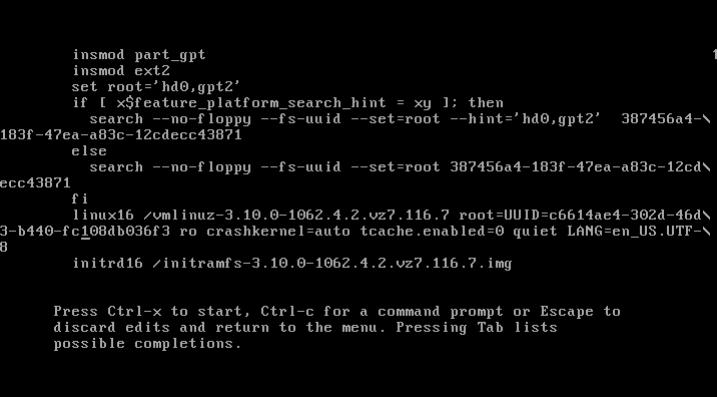
Step 3 - Edit the line 'Linux16 /vmlinuz-..." with and add the word 'single' into the command line. Yours may look slightly different, e.g. the line might start with Kernel instead of Linux16
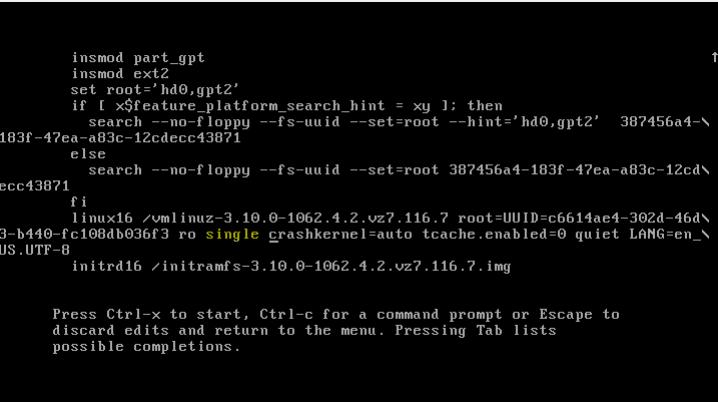
Step 4 - The press Ctrl+X to start with the new kernel parameter. These changes won't be saved in any way, once you reboot the system, it will boot with the default Kernel options