

You are unable to change your password from Outlook directly, you can however access the website portal from outlook to change your password. To do this, follow these instructions
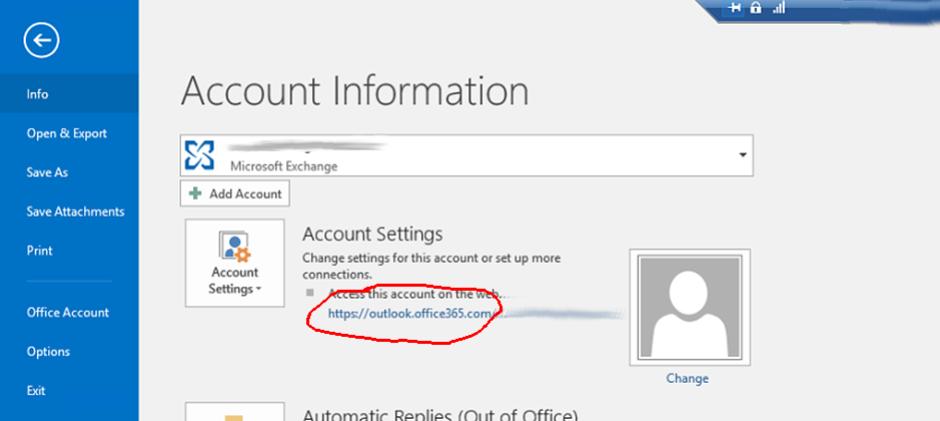
Inside outlook, click on the file tab

Once you are inside the Account Information page, click on the link under "Access this account on the web.."
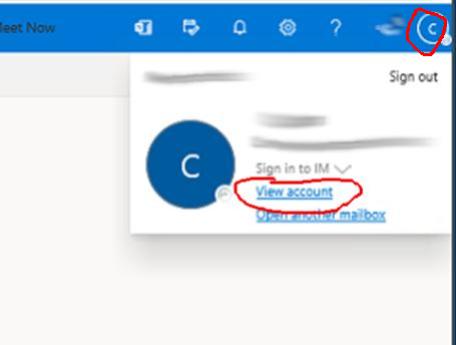
This will take you to OWA (Outlook Web Access) which is a website version of your email. Inside the website you can manage your account. Click on the letter at the top right hand side, in this example it is (C) and then click the View Account link.
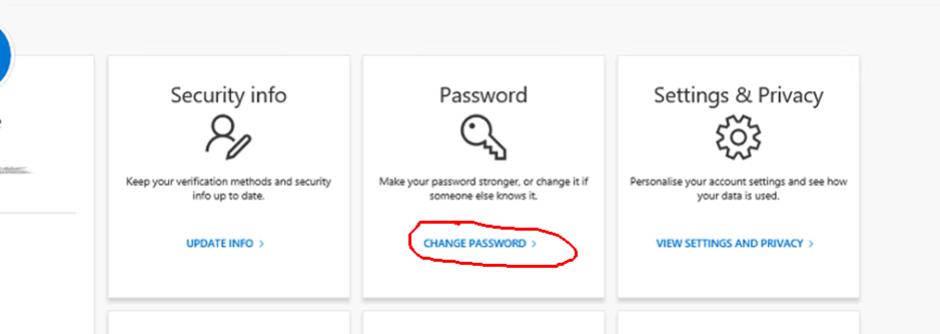
It will now take you to the Office management portal. Click on the Change Password link as per below;
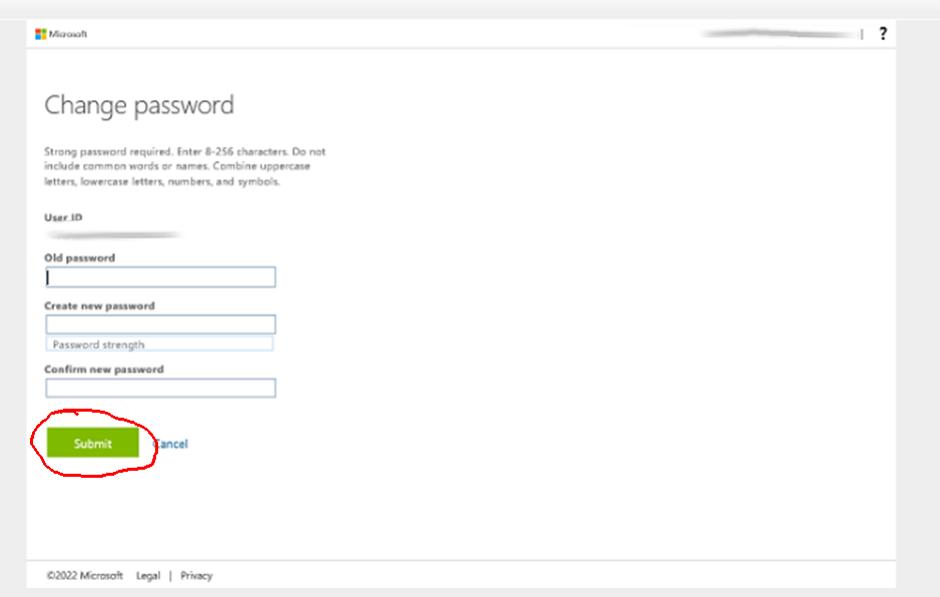
A Change Password dialog will be presented, enter in your old and new passwords into the boxes below and then click submit.
You password is now changed. You will need to restart your outlook or other devices to be asked for your new credentials.