
We had an issue with Forti Analyzer not mounting the data volume. We tried a number of steps to get the volume repaired and remounted. In the end, what worked was;
- Add a new data volume to FA
- Initialize the volume using directions in CLI, or a 'execute format disk' would have worked
- Unmount the drive, use Linux to DD the old drive to the new one that was freshly initalized
- Mount the drive back in Forti Analyzer
- Run a fsck on the volume
Process taken
# Repair FortiAnalyzer
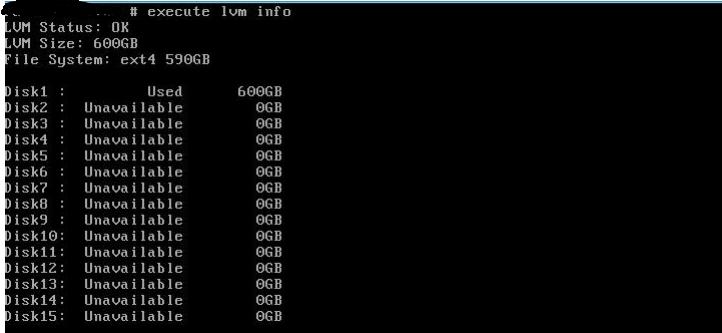
execute lvm info
diagnose system fsck harddisk
# Asks for a reboot, if it fails, go to next set

# Mount data volume to another server, run the repair on the disk, e.g.

# Add LVM device
lvmdevices --adddev /dev/xvdb

# Scan devices and confirm they are there
pvscan
lvscan

# Check Physical Volume
pvck -v /dev/xvdb

# Part probe to activate the disk
partprobe

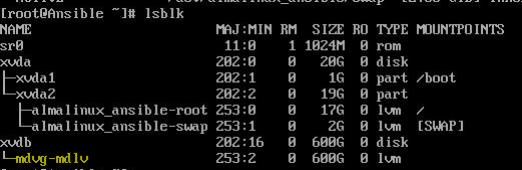
# List blocks and cofm they can be seen
lsblk

# Repair the disk
xfs_repair /dev/mdvg/mdlv

# Run a fsck
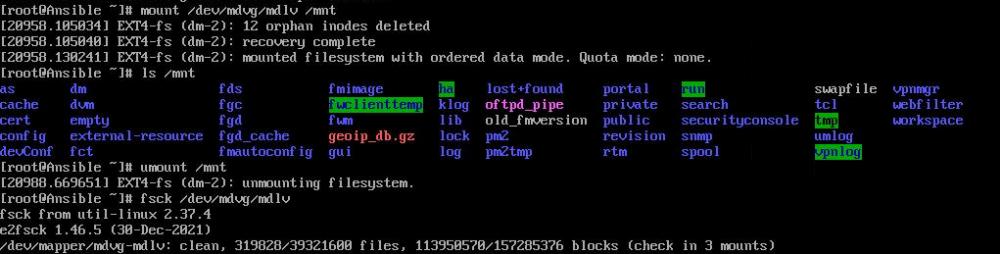
fsck /dev/mdvg/mdlv

# Mount the drive to confirm read/write
mount /dev/mdvg/mdlv /mnt/mdlv

Note:
This command will reboot the system.

If the file system repair does not fix the issue, formatting the log disk may be required:

execute format disk-ext4 <----- Format log disk into ext4 file system.
This operation will format hard disk with ext4 file system.
Do you want to continue? (y/n)y

This method will cause all logs to be lost as the hard drive(s) will be formatted.
When the above still didn't work, it required drive to be copied over the backup drive
# On the temp Linux serverCheck volumes exist
dd if=/dev/xvdb of=/dev/xvdc bs=4M conv=sync,noerror status=progress
# Remount the /dev/xvdc drive back into Forti Analyzer, it should now mount, run a fsck
diag sys fsck harddisk
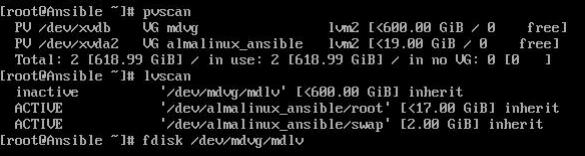
Part Probe will activate the disk

Part Probe to confirm the logical volume exists
Run the repair

xfs_repair didn't work. Actually an ext4 volume, used fsck
On FortiAnalyzer - After mounting drive
Manual copy from disk to disk
